How it works
How Pick a Buyer works, end to end.
Ninety seconds end to end, or scroll for the full step-by-step.
Three phases: the buyer, the seller, the match.
Phase 1
The buyer creates a listing
Tell the platform what you’re looking for, in the same shape sellers will describe their homes.
-
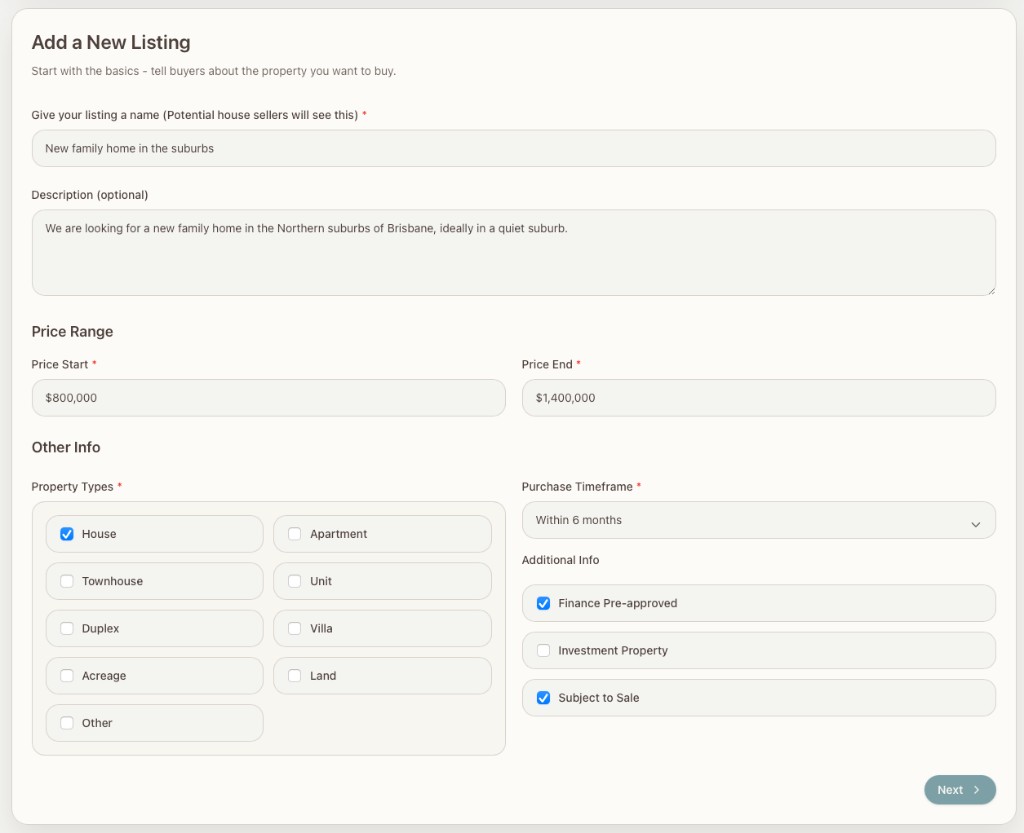
Create a Buyer Listing. Give it a friendly name like "Family home near the city." If you’ve got more than one search going — a forever home, an investment property — each one gets its own listing.
-
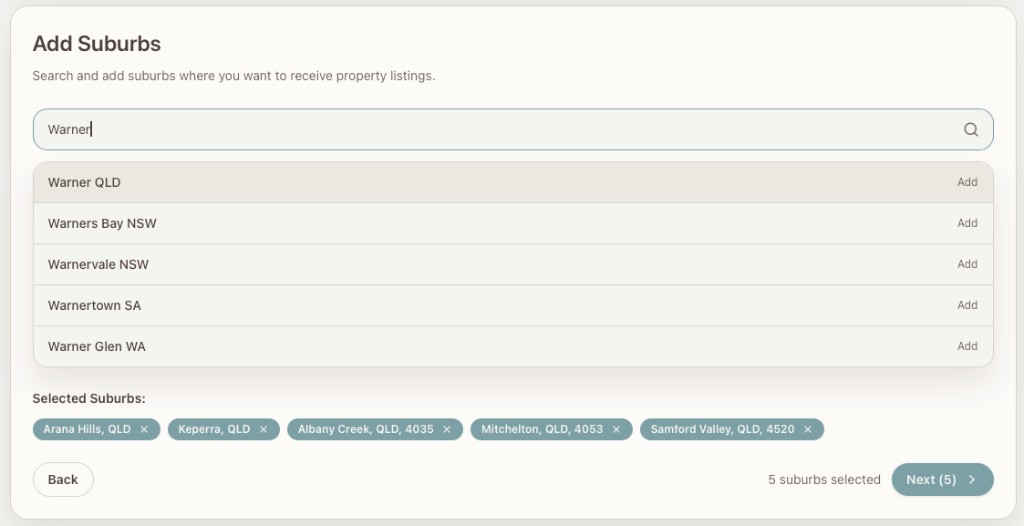
Choose the suburbs you’d consider. As many or as few as you want.
-
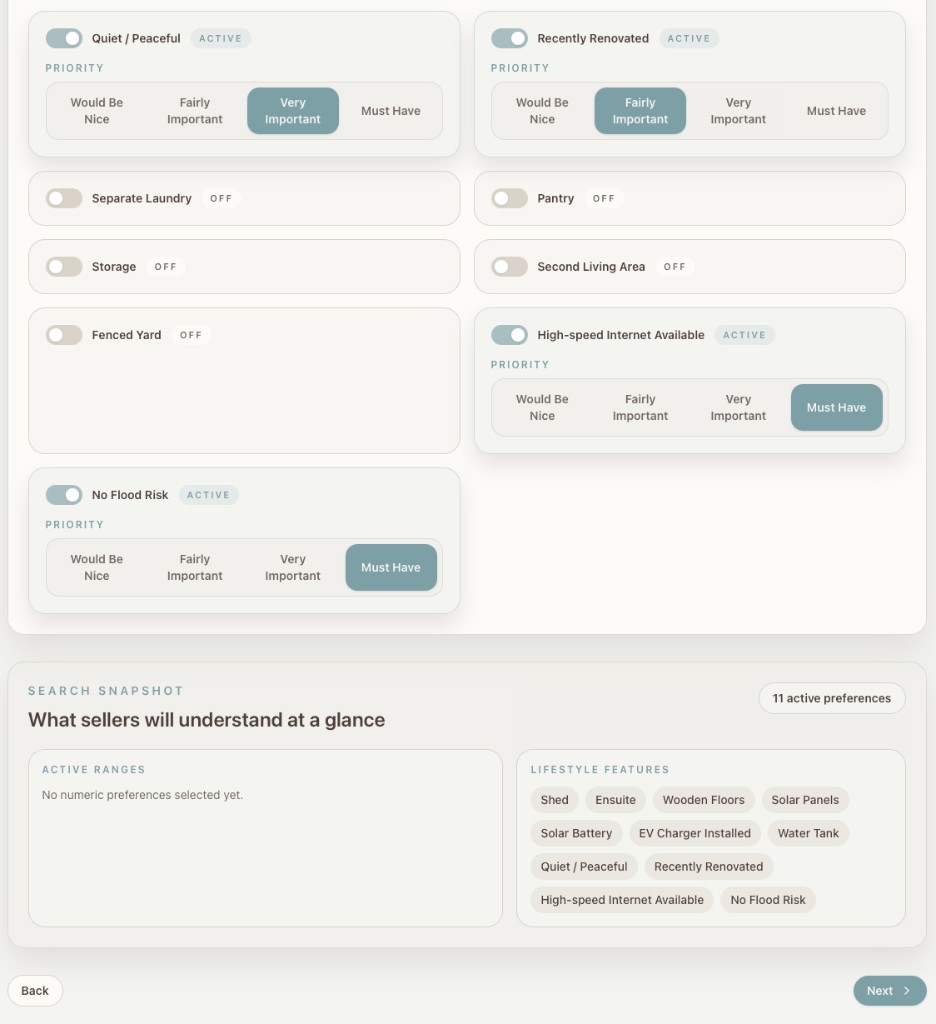
List the features you want — bedrooms, bathrooms, yard, garage, the works — and tag each one must-have, important, or nice-to-have. That tagging is what drives the match score later on.
-
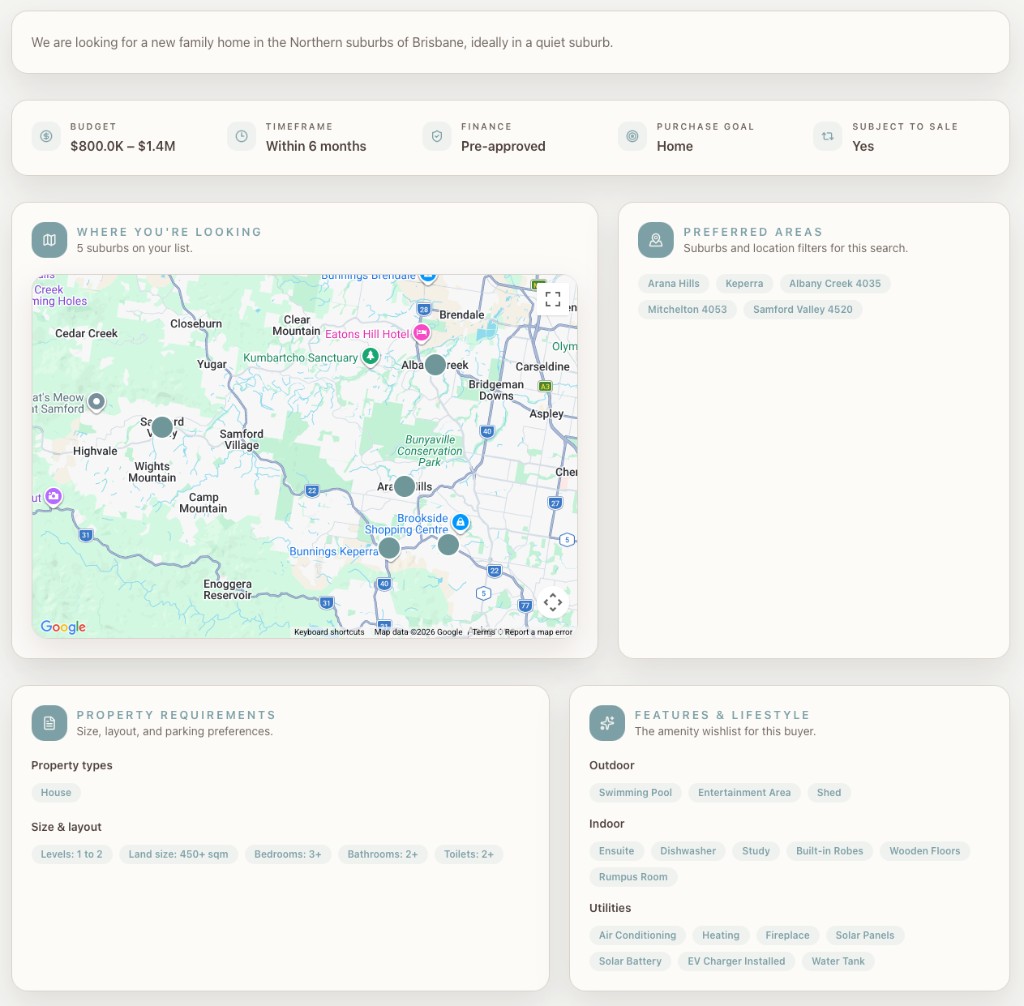
Publish. Sellers can now find you when their home matches.
Phase 2
The seller adds their property
Describe your home in the same vocabulary buyers used.
-
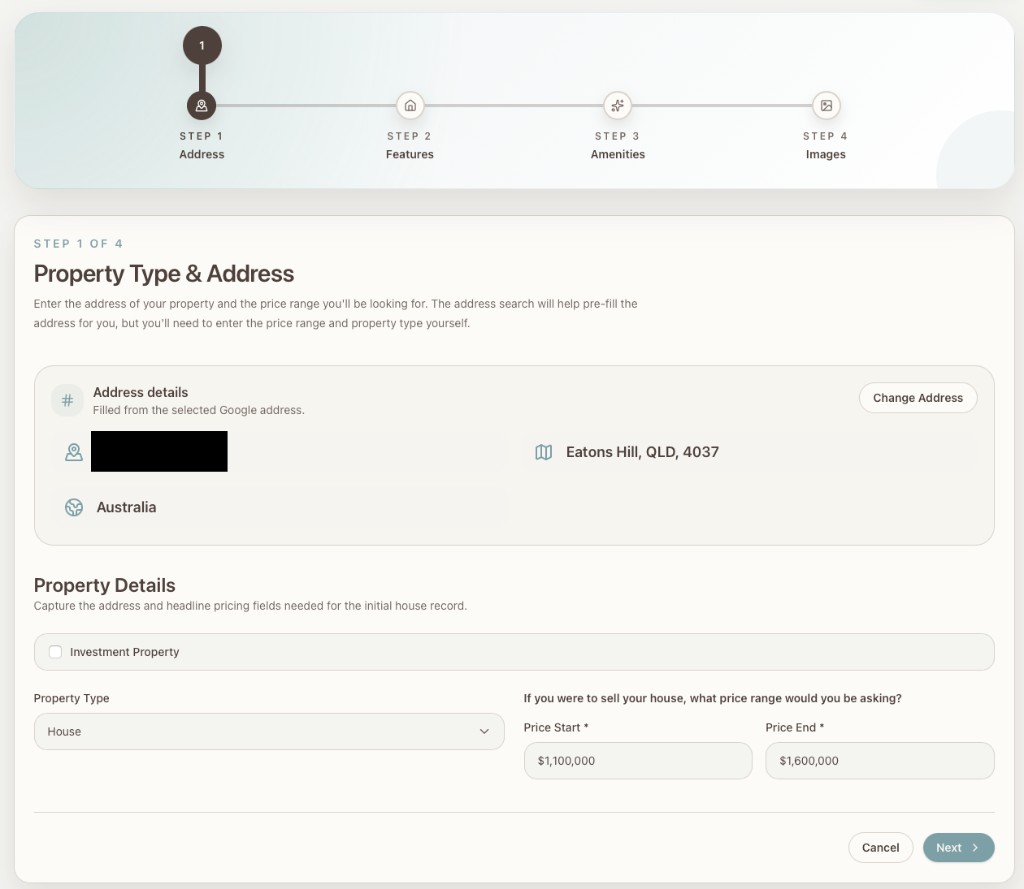
Add the address. That's all the platform needs for the property's location.
-
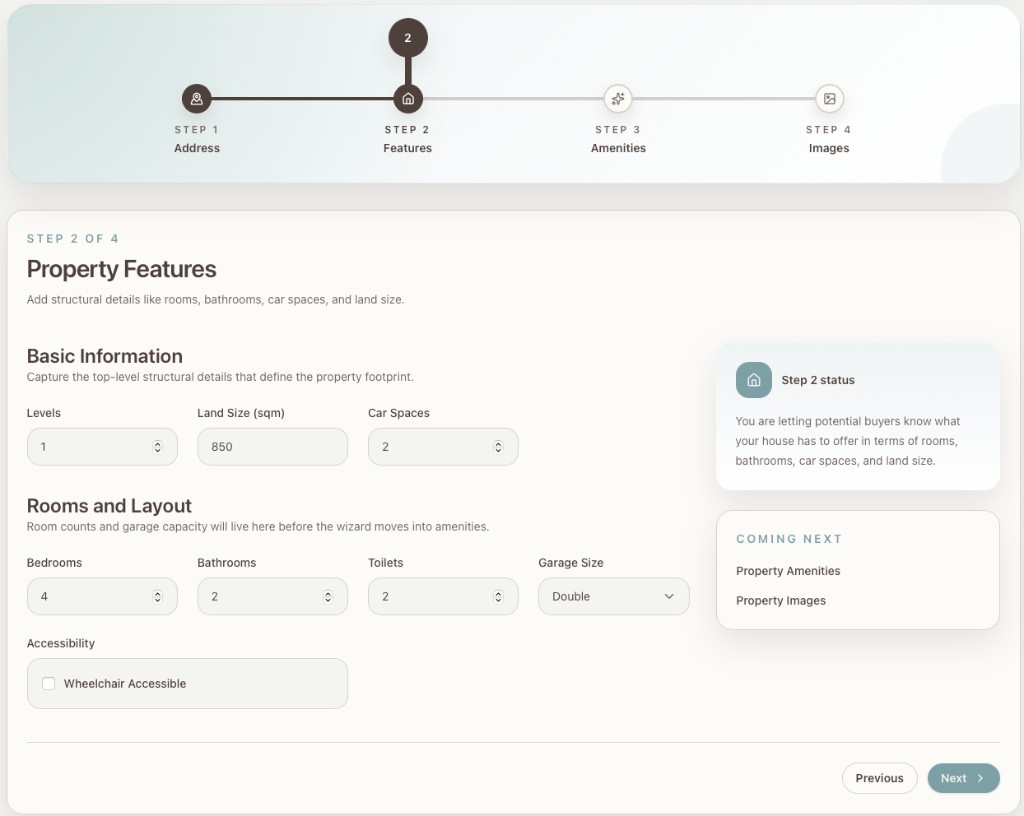
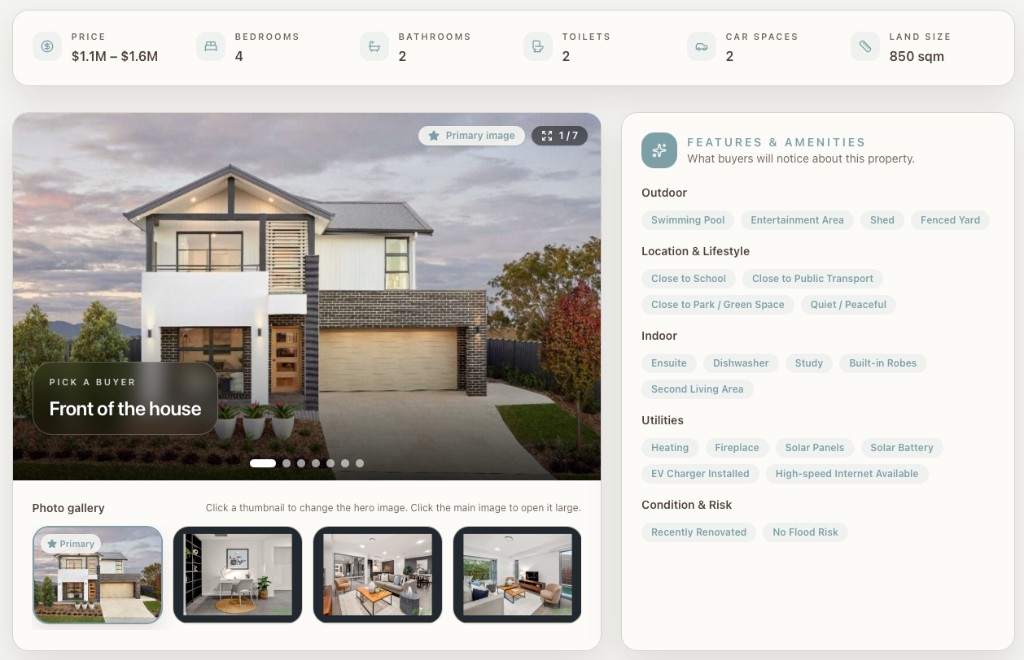
Add the structural features. Bedrooms, bathrooms, land size, car spaces — the headline stats every buyer wants to see.
-
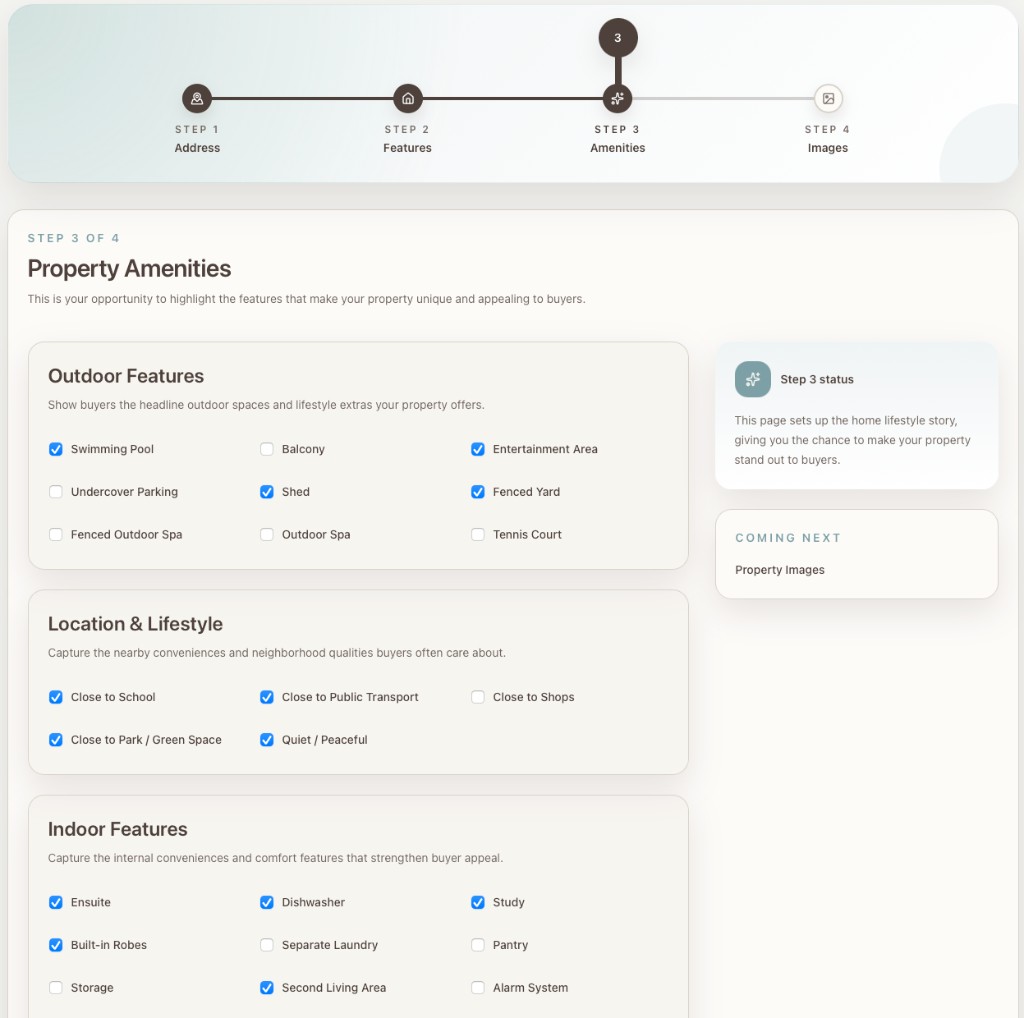
Add the amenities. Pool, ensuite, close to schools, fenced yard, the rest. The same lifestyle features buyers picked from when they tagged their wishlist.
-
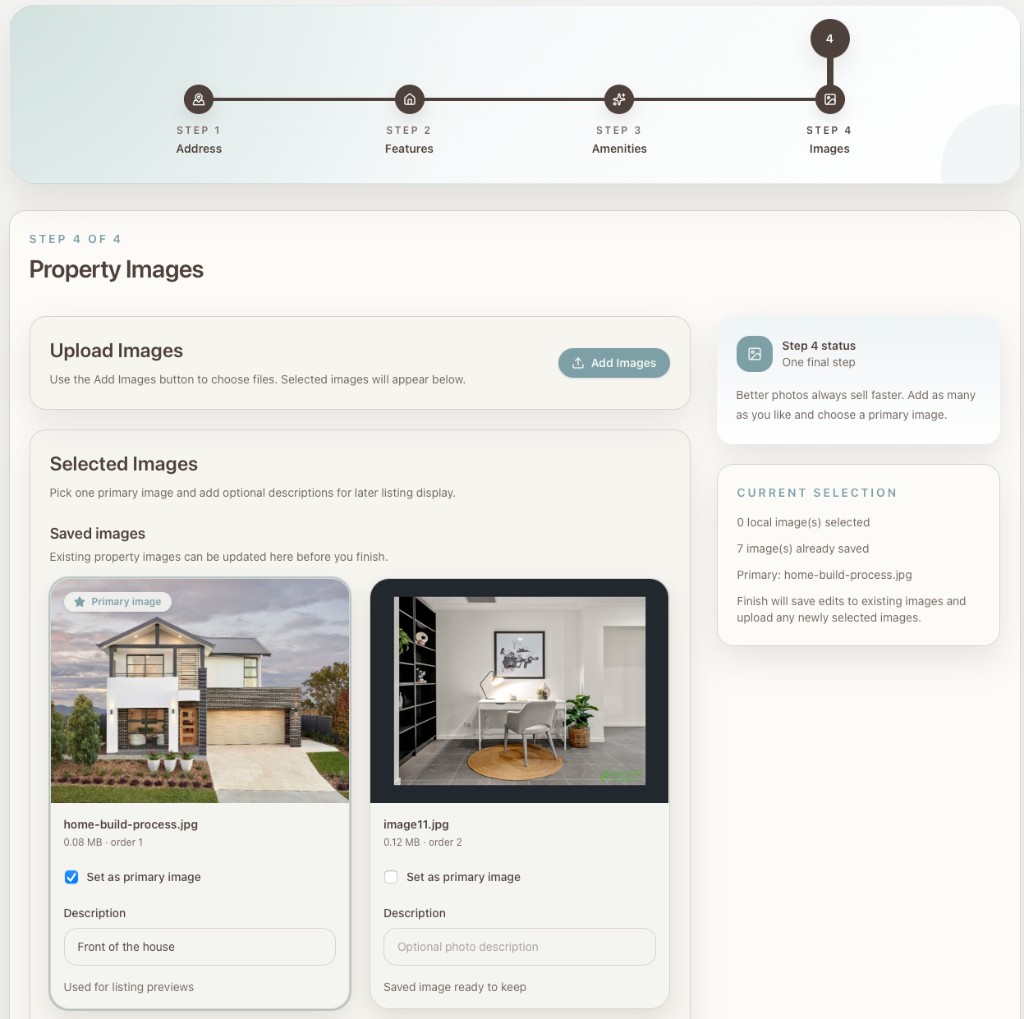
Add photos. As many as you'd like. Pick a primary image for the preview tile.
-
Publish. Your property's now live and matchable.
Phase 3
They find each other, and agree
From the first message to the contract handoff. Everything happens in the app.
-
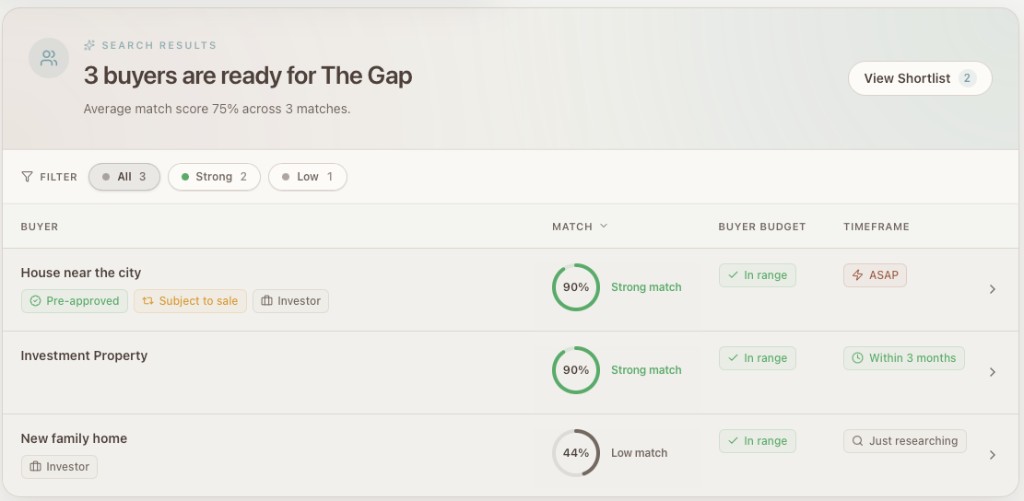
The seller clicks "Find Buyers." Up come the buyer listings that match the property, ranked 0–100 by how well each one fits.
-
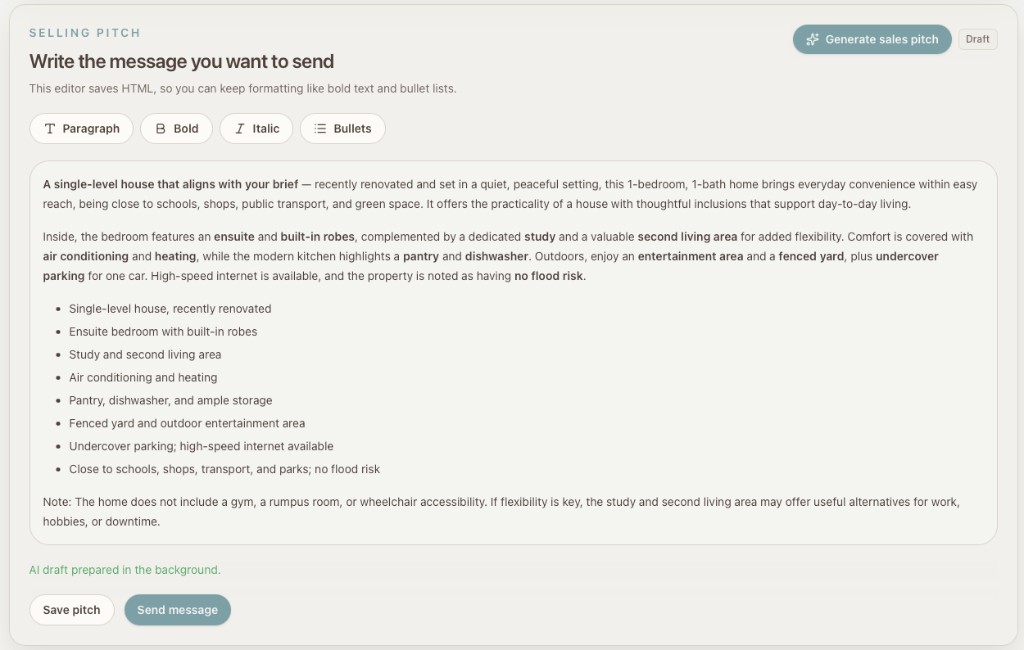
The seller shortlists, or contacts straight away. Pick a Buyer drafts an opening message that highlights how well the property fits this specific buyer’s wishlist; the seller tweaks it, then sends.
-
The buyer gets the message. They see the property — full address, photos — and a feature-by-feature comparison of what they wanted versus what the property has.
-
If the buyer’s interested, they reply. The conversation starts. From here, both sides talk directly in the app.
-
They arrange a viewing, in their own time, at a place that suits them both.
-
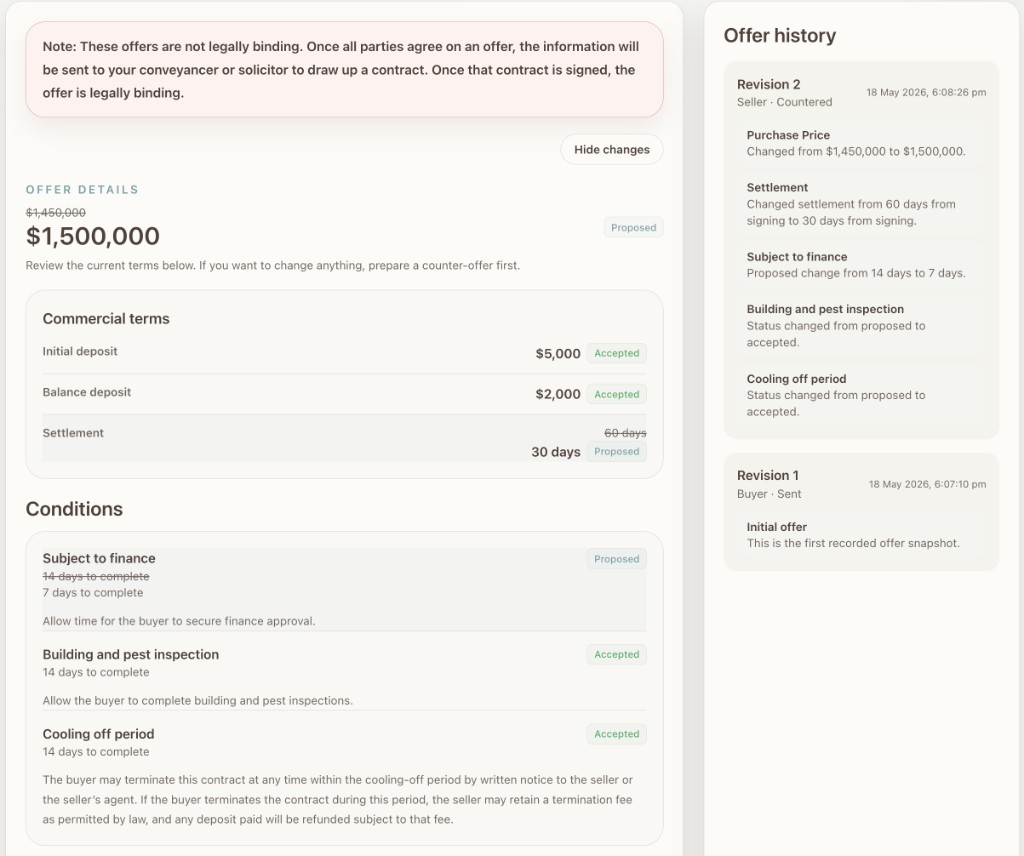
The buyer sends a structured offer. Price, deposit, settlement date, conditions, any special clauses. The seller reviews clause by clause — accepts each one or counters with an amendment. The buyer sees exactly what changed, accepts or amends back, and so on. Every version is logged. Goes for as long as it needs to.
-
When everything’s agreed, Pick a Buyer packages it up. Agreed terms, both parties’ contact details, and both sides’ nominated conveyancers — sent to the buyer’s conveyancer or solicitor, who drafts the contract for both sides to sign. (Each side nominates their lawyer when they create or respond to an offer — or earlier, if they prefer.) From that point, the deal lives with the lawyers. Pick a Buyer is done.
![The buyer’s "Your Requirement vs This Property" comparison: feature-by-feature match indicators with priority tags. Asking price shown as [Hidden].](/assets/product/how-it-works/phase3-step3-buyer-comparison.png)
Ready to try it?
Free for buyers, always. $25 a month for sellers — only when they reach out. No commission, ever.
No card. No commitment.